Understanding sender domain authentication
Last updated: August 26, 2026
Authenticating a domain is what lets your automation email leave signed as your company rather than as Onboarded. It's the prerequisite for sending from your own address, and it's done entirely in Settings → Account → Email.
What authentication actually does
Email carries a cryptographic signature that says which domain took responsibility for sending it. By default that signature belongs to Onboarded's sending infrastructure, which is why automation email arrives from no-reply@onboarded.com.
Authenticating your domain publishes a small set of DNS records on your own nameservers. Once they resolve, mail sent on your behalf is signed with a key aligned to your domain. Three things follow: the via annotation goes away, your address passes the DMARC policy your security team has probably already published, and inbox providers stop treating your onboarding mail as an unrelated third party talking about your company.
The two rules for a sender address
Onboarded accepts an address in Sender email only when both hold:
Its domain is one your account has authenticated.
onboarding@acme.comworks onceacme.comshowsAuthenticated; it's rejected before that.Its domain isn't reserved.
onboarded.comand every subdomain of it are reserved, so no account can register them or send from them. An account able to send as@onboarded.comcould impersonate us to its own candidates.
Leave Sender email alone and it stays on the default Onboarded address, tagged Default. That's a supported end state, not a half-finished one — plenty of accounts run there indefinitely.
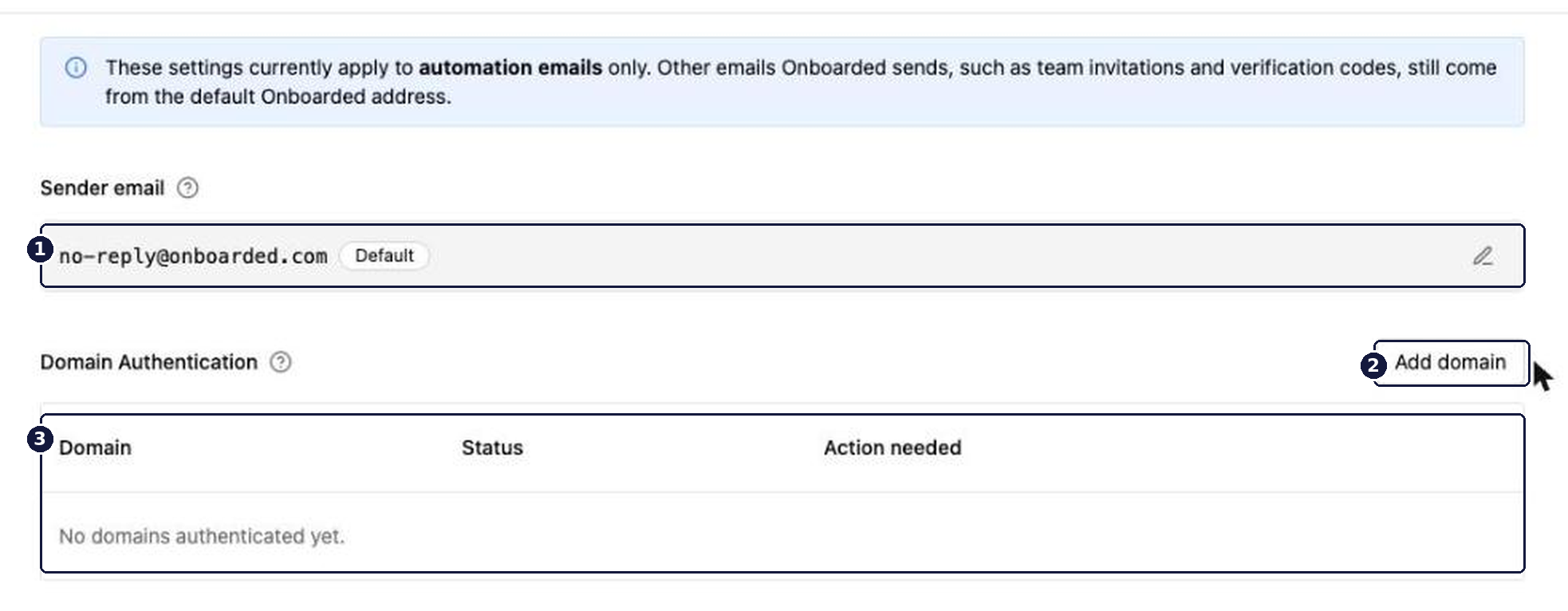
What the statuses mean
Status | What it means | What to do |
|---|---|---|
| The domain is registered, but at least one record hasn't resolved yet. | Open |
| Every record resolved. Addresses on this domain can be used as your sender. | Set |
Records are checked when you ask, not on a schedule. Publishing the records doesn't flip the status on its own — the domain sits at Pending DNS until someone selects Verify again. DNS changes can take up to 48 hours to propagate, so a domain that fails verification a minute after you publish isn't necessarily wrong.
Domain authentication is not domain verification. Verifying a domain, under Users & Permissions, controls who can request access to your Onboarded account. Authenticating one, here, controls what candidates see in the From line of automation email. Doing one does nothing for the other — see 📄 Understanding domain verification and membership requests.
Removing a domain
Removing an authenticated domain reverts any sender address on it to the default Onboarded address. Automations keep running and mail keeps going out — it arrives from no-reply@onboarded.com instead. Resetting Sender email back to the default is the milder version of the same move: it leaves your authenticated domains in place, so you can set the address again whenever you want.
Example
Say an account has been live for a month, sending onboarding email from the default address, and candidates have started asking whether the messages are real. The HR Engineer adds acme.com under Domain Authentication, sends the DNS records to whoever runs the company's DNS, and waits. The next morning the records have propagated, Verify again flips the row to Authenticated, and they set Sender email to onboarding@acme.com.
No automation was edited. Every existing Send Email action picks the new address up on its next run, because the sender is resolved at send time rather than stored on the action.