How do I verify my company's email domain?
Last updated: August 19, 2026
You'll verify a domain you control by adding a DNS TXT record, so new teammates who sign up on that domain can ask to join your organization instead of starting a new one.
Before you start
Permission to create user groups in your organization — the same permission that gates the rest of user management.
Access to your DNS provider, or someone in IT who can add a
TXTrecord for you.A company domain. Personal email providers can't be verified.
Steps
The flow has three parts: start verification in Onboarded, add a DNS record, then confirm the domain came back verified.
Start verification
Go to
Organization Settings → Edit Organization.Scroll to the
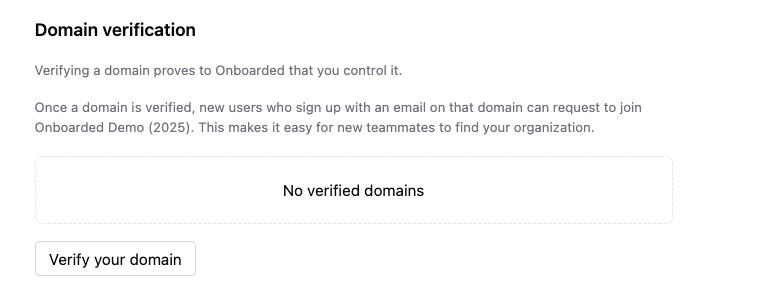
Domain verificationsection at the bottom of the page. With nothing verified yet it readsNo verified domains.Select
Verify your domain. Onboarded hands you off to a hosted verification portal.
Add the DNS record
Enter your domain —
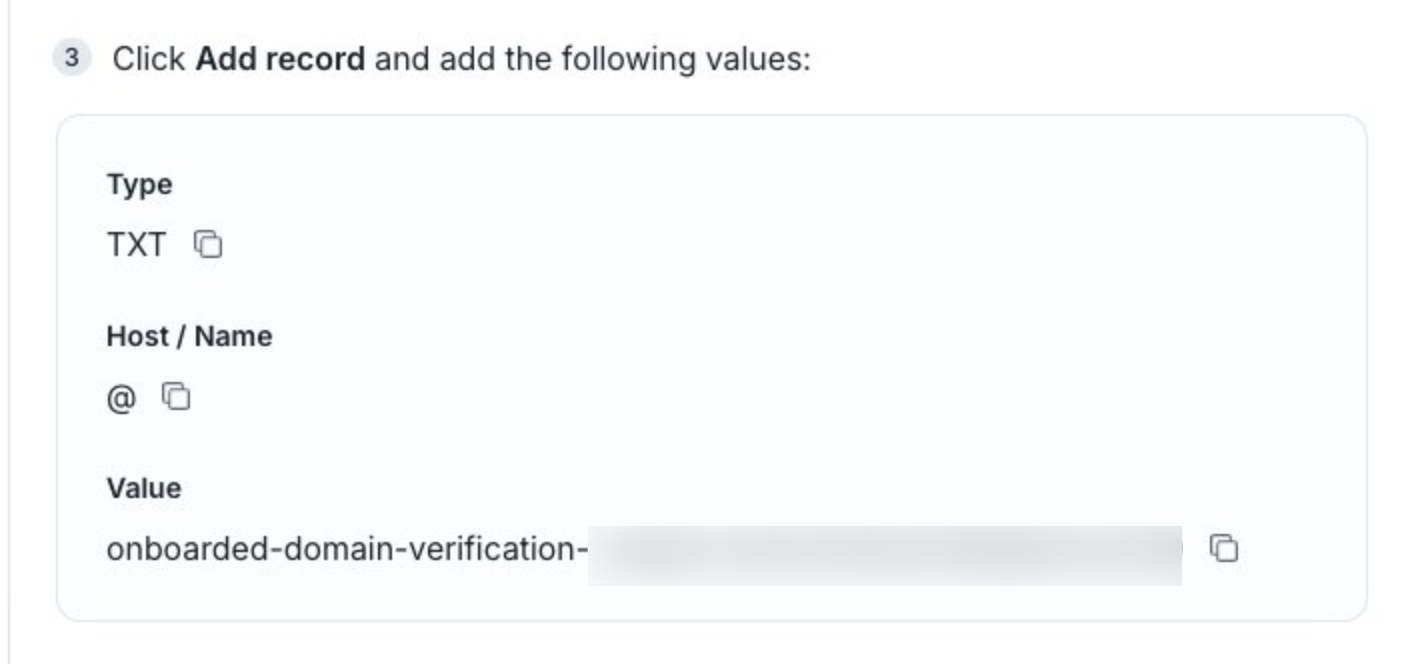
acme.com, with no@and nohttps://.Copy the
TXTrecord the portal generates. The portal detects most DNS providers and shows instructions specific to yours.Add the record at your DNS provider, pasting the host and value exactly as shown. A trailing character or a wrapped line is the most common reason verification never completes.
Return to the portal and continue. When the record is detected, the portal marks the domain verified and sends you back to your organization settings.
DNS changes don't take effect instantly. If the portal hasn't found the record yet, the domain stays unverified until it does — the record is safe to leave in place while you wait, and it needs to stay there permanently. Removing it later drops the domain off your verified list.
Confirm and set discoverability
Back on
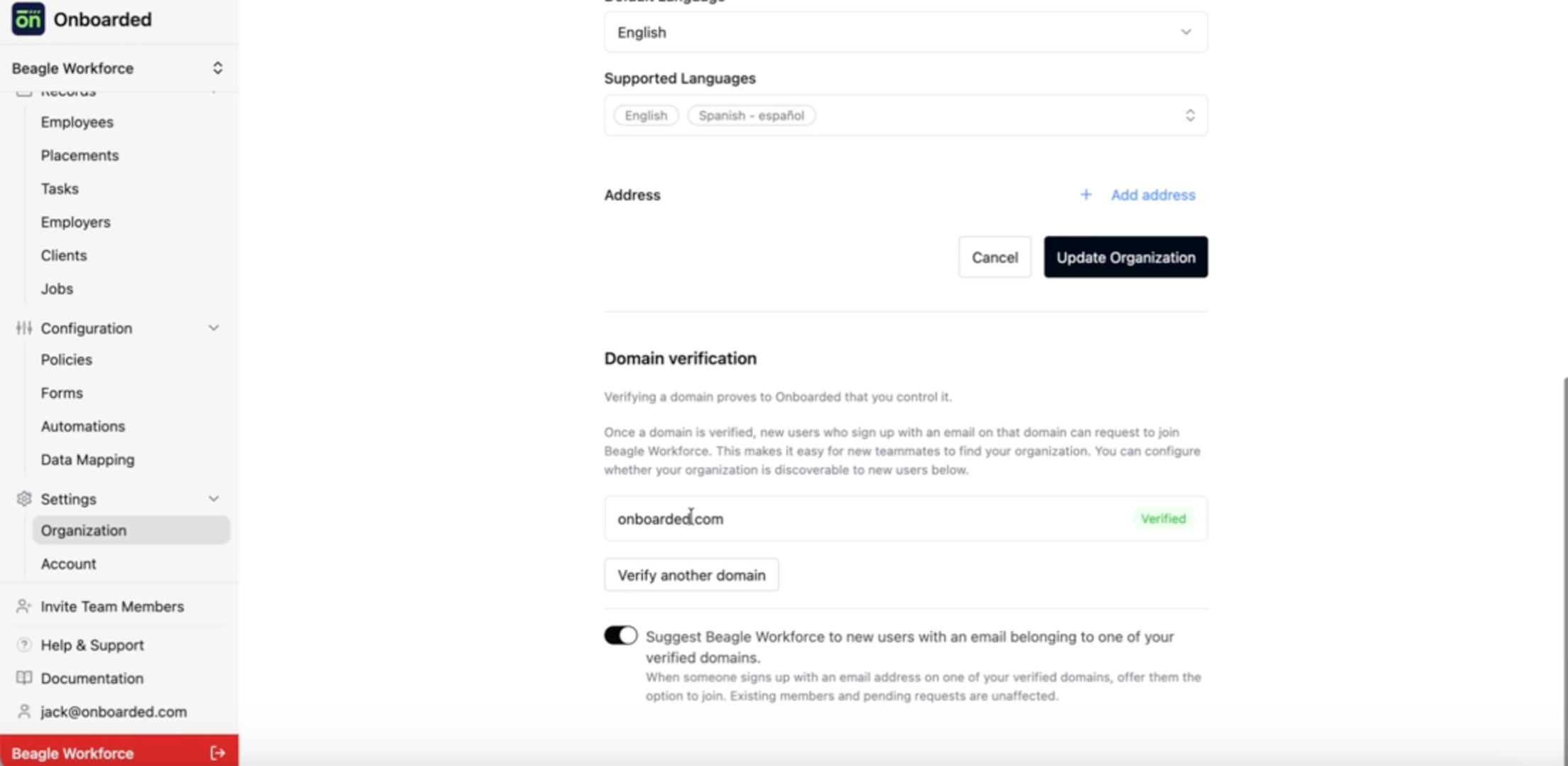
Edit Organization, refresh the page. The domain appears in the list with aVerifiedbadge.Decide whether to leave discoverability on. The toggle below the list reads
Suggest {your organization} to new users with an email belonging to one of your verified domainsand is on as soon as a domain is verified. Turn it off if you'd rather keep inviting people directly.To verify another domain, use
Verify another domainand repeat. Each domain matches on its own.
Verify
Your domain shows a Verified badge on Edit Organization, and the discoverability toggle appears underneath the list. From that point on, someone signing up with an email on the domain will see your organization by name and their request will land on the Membership requests tab under User Management.
If the domain hasn't turned up:
Refresh the page. Onboarded mirrors the verified list from the portal, so there's a short lag after you finish.
Re-check the
TXTrecord at your DNS provider against what the portal generated, character for character.Confirm your DNS change has actually published. Some providers queue edits for several minutes.
If the
Domain verificationsection isn't on the page at all, contact support — your organization needs a small piece of setup on our side first.